Hide Banner After Clicking
Hide Banner After Clicking stops Revive Adserver from showing a banner to a visitor once it has received the number of clicks the advertiser sets, and shows it again after a reset time. Advertisers get control over repeat delivery, and publishers get the freed slot for other banners.
What it does
- A banner that a visitor has already clicked stops being served, which cuts redundant impression logging to the advertiser's account.
- The freed slot lets the publisher show other banners to the same visitor.
- Advertisers set both the click limit and the reset time, so each campaign gets its own rule.
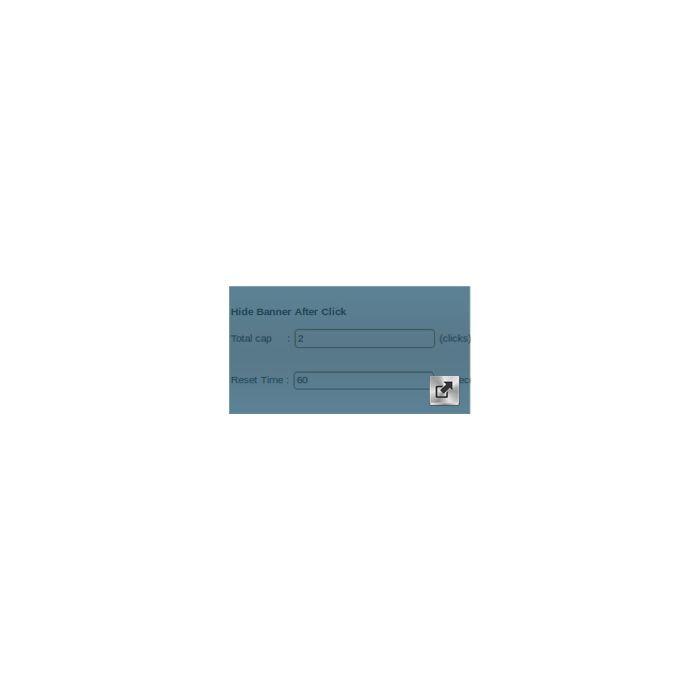
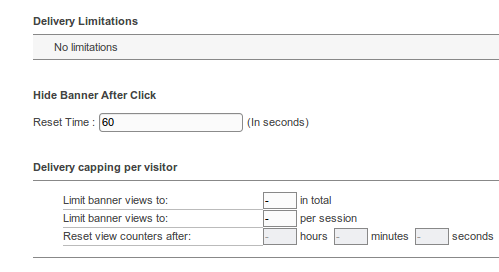
It works as a frequency cap: to hide a banner after one click, set the Total Cap to 1 with a reset time such as 60 seconds. The hidden banner returns on the same page in the visitor's session once the reset time is reached. How a visitor is identified, and what happens when cookies are blocked, is not described.
Full feature details
Hiding a Banner/Ad after a set of clicks has performed on it by an end user will help in eliminating the count of redundant Impression logging to Advertiser's account.
“Advertiser can now eliminate Invalid Impressions and Clicks logging!”
The plugin also have the option to display the hidden Banner/Ad in the same webpage after it reached the reset time.
Advertiser can choose the number of clicks the Banner/Ad can receive after which the banner will be hidden until it meets the Reset time (set by advertiser).
Publisher will get the possibility of displaying more Banners/Ads to the visitor.
Advantages of installing this plugin:
- Advertiser can have the special control on the Ad delivery.
- Saves unnecessary Impression/clicks.
- Publisher can boost up the Revenue.
- Easily Customized
How this plugin works?
If Advertiser wants the Banner/Ad not to be delivered to a user after it receives click, then the Total Cap needs to be set 1 with respective reset time say 60 seconds.
The hidden Banner/Ad will be displayed on the user session only after it reaches the Reset Time.
Note: Advertiser can set the frequency cap and reset according to his requirement.
Frequently Asked Questions
Included with every plugin
- Installation and setup help. We help you install the plugin on your Revive Adserver and confirm that it is working.
- 3 weeks of free support from the day of delivery, covering installation, configuration and any bug in the plugin.
- Your Revive Adserver version. Choose your version in the Product Versions drop-down on this page.
- Licenses to fit your setup. Choose Single Domain, Multi Domain or Source Code in the License drop-down.
Need changes made for your setup? Custom work and consulting are available. Contact us with your requirements.
Common questions
Which Revive Adserver versions does this plugin support?
The supported versions are listed in the Product Versions drop-down on this page. If you run a version that is not listed, contact us before ordering.
What does the free support cover?
For 3 weeks from delivery we help with installation, configuration and any bug in the plugin. Custom development and problems caused by other plugins or your hosting are not part of the free support, but we can quote them separately.
Can you adapt the plugin to my setup?
Yes. Custom work is available. Tell us what you need and we will quote it.