Mobile Interstitial with full page flex ads plugin

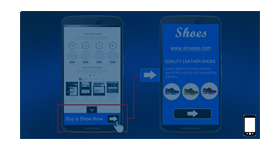
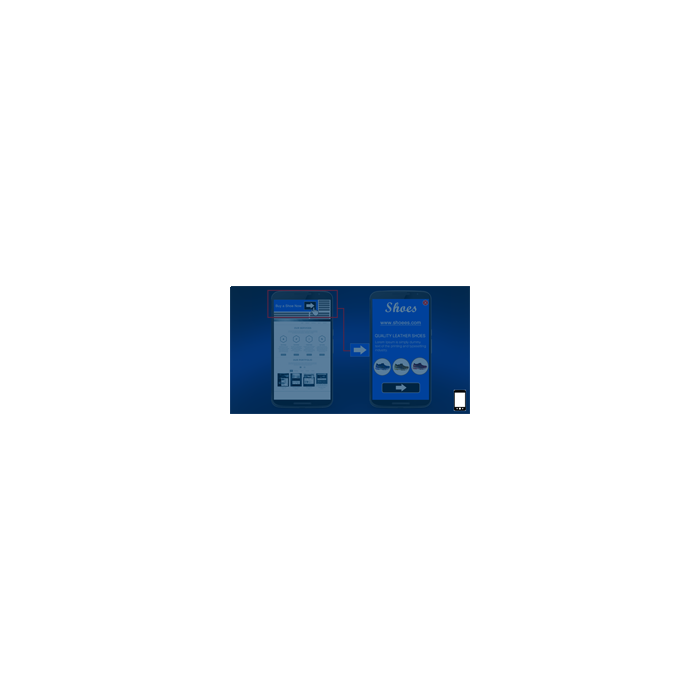
This plugin delivers a mobile interstitial that starts as a slim banner at the top of the browser and expands to a full-page view when tapped. Advertisers get room for brand and product detail, and publishers let the viewer decide whether to open it.
What it does
- Shows the brand name and a product or brand description, not only an image banner, so the ad can explain the offer instead of just pointing at it.
- Opens the complete product details across the whole screen on tap, which turns a small unit into a full-page message for viewers who are interested.
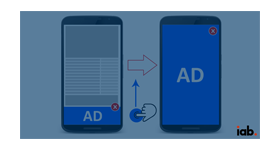
- Minimises the ad with a close button and returns the viewer to the publisher page, so reading is never blocked for good.
- Sets the ad aspect ratio from the interaction and the device screen size, which keeps delivery responsive across smartphones.
- Tracks impressions, clicks and conversions for the format, so its results can be compared with other mobile units.
How it fits your ad stack
The first banner sits at the top of the screen, whereas the Smartphone Anchored Ads format places it at the bottom, so pick by where you want the first impression. Full-screen and interstitial mobile formats sit close to the experiences the Coalition for Better Ads covers in its Better Ads Standards, such as pop-ups, so teams usually review placement and close controls against them.
Full feature details
The ‘Mobile Interstitial with full page flex ad Plugin’ for Revive Adserver helps deliver interstitial ad format in a full page flex view on top part of browser on mobile devices. Image ad would be shown with brand name and brand or product description. In the current era, web users want to know about the full features of any product. Apart from just the image banner, additional information regarding the product or service advertised is also displayed. Thus the users tend to spend more time in the ad and interact with it.
When the user visits the publisher’s site in a mobile browser, the ad would be displayed on the top of the screen with very few details. On clicking the minimalistic banner, the complete details about the product is displayed covering the complete screen. There is also a close button which the users can click on to minimize the ad and continue browsing the publisher’s page.
Plugin functionality
Supported mobile browsers: • Chrome •Internet Explorer •Firefox •Safari •Opera •UC browser • Etc
Ad aspect ratio: Based on interaction and device screen size
Benefits:
- Responsive ad delivery on different Smartphone devices
- Provides a ‘Super rich media’ type of ad delivery
- Increase the users’ in-ad engagement
- The user clicks, impressions and conversions of Smartphone anchor ad can be tracked.
- A visible increase in CTR (Click through ratio) is observed.
Frequently Asked Questions
Included with every plugin
- Installation and setup help. We help you install the plugin on your Revive Adserver and confirm that it is working.
- 3 weeks of free support from the day of delivery, covering installation, configuration and any bug in the plugin.
- Your Revive Adserver version. Choose your version in the Product Versions drop-down on this page.
- Licenses to fit your setup. Choose Single Domain, Multi Domain or Source Code in the License drop-down.
Need changes made for your setup? Custom work and consulting are available. Contact us with your requirements.
Common questions
Which Revive Adserver versions does this plugin support?
The supported versions are listed in the Product Versions drop-down on this page. If you run a version that is not listed, contact us before ordering.
What does the free support cover?
For 3 weeks from delivery we help with installation, configuration and any bug in the plugin. Custom development and problems caused by other plugins or your hosting are not part of the free support, but we can quote them separately.
Can you adapt the plugin to my setup?
Yes. Custom work is available. Tell us what you need and we will quote it.