Throttling Campaign Plugin for Revive Adserver

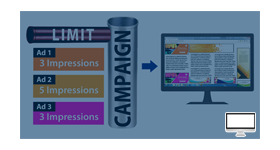
This plugin adds a throttled campaign type to Revive Adserver that ramps ad delivery gradually instead of at full speed. Advertisers and campaign managers can control the pace of impressions.
What it does
- Control over how quickly a campaign reaches full delivery is linked to a balanced distribution of ads.
- Reduced ad fatigue is listed as a benefit.
- Controlled delivery supports better budget management.
- The admin sets a throttle start percent and a duration, and campaign managers set throttle limits per campaign while creating it.
- With a start percent of 20%, the ad delivers 20% of the time in the first minute, then rises linearly until it reaches 100% at the end of the duration.
- A queuing system that releases ads sequentially on a predetermined schedule is also mentioned.
How it fits your ad stack
The throttle campaign type is an override campaign. The Coalition for Better Ads publishes the Better Ads Standards, which identify ad experiences such as pop-ups and auto-playing video with sound that fall below consumer expectations; this plugin controls the pace of delivery and is not stated to apply those standards.
Full feature details
Throttling Campaign feature for revive ad server that allows advertisers to control the pace at which their campaigns deliver ad impressions to the target audience. This feature helps manage the frequency and timing of ad displays, ensuring a more controlled and balanced distribution of ads to avoid overwhelming users with excessive advertising.
Throttling Campaign is a must-have feature for advertisers seeking to optimize their ad campaigns and deliver a seamless user experience. With precise control over ad impressions and pacing, advertisers can achieve better results, increased user engagement, and ultimately drive higher ROI from their advertising initiatives. Whether for brand awareness campaigns or targeted promotions, the Throttling Campaign feature is an indispensable plugin for revive adserver users.
Admin will set a throttle start percent and a duration. Campaign managers will be able to set throttle limits for individual campaigns while creating a campaign. Throttle campaign type will be an override campaign. If the start percent is 20%, then the ad will be delivered only 20% of the time in the first minute. There will then be a linear increase in delivery speed until the end of the duration at which point the ad will deliver 100% of the time.
Provides a queuing system that organizes ads delivery in a specific order for distribution. Ensures that ads is released sequentially according to the predetermined schedule. This plugin features collectively empower advertisers to effectively manage and optimize their campaign content flow, ensuring that the right content reaches the right audience at the right time while maintaining engagement and achieving campaign objectives.
Benefits of this plugin:
- Enhanced User Experience: Advertisers can create a seamless advertising journey for their audience, promoting brand trust and loyalty.
- Reduced Ad Fatigue: Users are more likely to notice and engage with ads that are displayed in a controlled and measured manner.
- Optimized Ad Performance: The ability to fine-tune ad delivery can lead to improved click-through rates (CTR), conversion rates, and overall campaign performance.
- Better Advertiser Budget Management: By controlling ad delivery, advertisers can manage their budgets more efficiently.
Frequently Asked Questions
Included with every plugin
- Installation and setup help. We help you install the plugin on your Revive Adserver and confirm that it is working.
- 3 weeks of free support from the day of delivery, covering installation, configuration and any bug in the plugin.
- Your Revive Adserver version. Choose your version in the Product Versions drop-down on this page.
- Licenses to fit your setup. Choose Single Domain, Multi Domain or Source Code in the License drop-down.
Need changes made for your setup? Custom work and consulting are available. Contact us with your requirements.
Common questions
Which Revive Adserver versions does this plugin support?
The supported versions are listed in the Product Versions drop-down on this page. If you run a version that is not listed, contact us before ordering.
What does the free support cover?
For 3 weeks from delivery we help with installation, configuration and any bug in the plugin. Custom development and problems caused by other plugins or your hosting are not part of the free support, but we can quote them separately.
Can you adapt the plugin to my setup?
Yes. Custom work is available. Tell us what you need and we will quote it.